Big GSC Update: Add Instagram, TikTok, X & YouTube Profiles
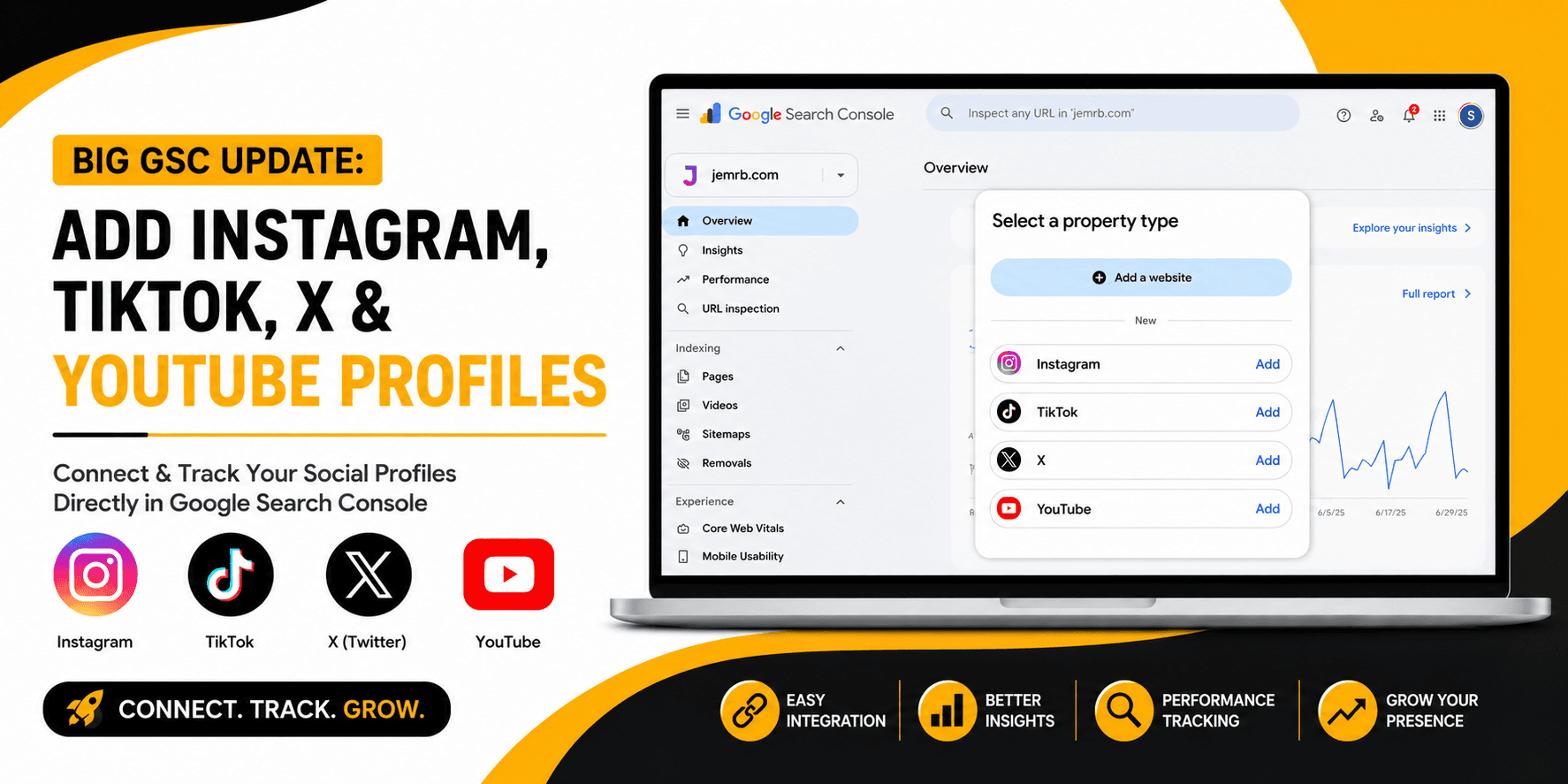
Google Search Console, abbreviated as GSC, has been a very important tool for SEO professionals, website owners, and digital marketers. This tool helps us check a website's Google Search performance, such as how many clicks a website receives, how many impressions it receives, what users searched for, and where the website is ranked on Google.
But now Google Search Console is no longer limited to websites. On July 7, 2026, Google introduced a new update that allows users to connect their social media and video profiles to Google Search Console. This means you can now view Google Search performance data for Instagram, TikTok, Twitter, and YouTube profiles.
The most interesting thing is that you don't need to have your own website to use this feature. If you're simply a content creator, a social media influencer, or managing a brand's social media accounts, you can still connect your social media accounts with GSC. Google has named this new property type Platform Properties.
This update is important for creators and marketers because they can now track how their social media content is performing in Google Search and Discover. Let's understand this feature in detail.
What are GSC Platform Properties?
Previously, Google Search Console was primarily used by website owners. Whenever a website was added to GSC, Google would ask to verify website ownership. Verification was done using DNS records, HTML files, meta tags, or some other method. Its simple purpose was to allow Google to confirm that the person viewing a website's search data was the owner or authorized user.
But the situation is different with social media accounts. If you have an Instagram account, you don't own the Instagram.com domain, and similarly, the TikTok creator doesn't own TikTok.com. You are simply the owner or manager of your specific social media profile.
Platform Properties solves this problem. Google now gives you the option to verify your social media profiles through secure sign-in and authorization. You sign in to your Instagram, TikTok, X, or YouTube account and allow Google to verify the account. Once verification is complete, Google Search Console can show you the Google Search performance of that profile's content. This is a significantly different approach from the traditional domain verification model.
What data can you see in Platform Properties?
After connecting Platform Properties, you can view important data about the Google visibility of your social media content. You can see how many impressions your social post or video received on Google Search, how many clicks it received from Google Search, what keywords users searched for, and what average position your content appeared in.
You can also understand which posts or videos are performing best on Google Search and whether search traffic trends are increasing or decreasing. This data is especially useful for content creators and SEO professionals.
For example, if you create digital marketing videos on YouTube and find that people are searching for "how to learn SEO for beginners" and finding your video, you can create more content around that keyword. This way, you plan your content based on real search data instead of guesswork.
What do clicks and impressions mean?
Clicks and impressions are two important metrics in Google Search Console. The impression tab is counted when your content is shown to a user in Google Search or Discover. If someone searches for a topic on Google and your Instagram post or YouTube video appears in the results, you get an impression.
The click tab is counted when users click on your content in search results. By comparing clicks and impressions, you can understand how much visibility your content is receiving and how much users are engaging with it. If impressions are high but clicks are low, you may need to improve your titles or content angle.
Will GSC also show social media engagement data?
No, this point is very important to understand. Google Search Console is not a replacement for Instagram Insights, TikTok Analytics, or YouTube Studio. Platform Properties focus solely on Google Search and Discover performance.
GSC will not tell you how many likes an Instagram post received, how many shares a reel received, or what the watch time of a TikTok video was. You will find all this data from the respective platform's analytics dashboard.
Simply put, Google Search Console tells you how people reached your content through Google, while social media analytics tells you what actions users took after viewing your content. The best strategy is to combine data from both tools.
Which Social Media Platforms Are Supported?
Currently, Google supports four major platforms for Platform Properties. These include Instagram, TikTok, X (Twitter), and YouTube.
Instagram creators can track the Google Search visibility of their public content. TikTok creators can understand which search terms users are using to discover their videos. The search performance of public posts on X can be analyzed, while YouTube creators can see the performance of their videos from a Google Search perspective.
LinkedIn and Facebook are not currently on the supported list, but Google may add more platforms in the future.
What is the difference between Platform Properties and Search Profiles?
Some people confuse Platform Properties with Search Profiles, but they are distinct features. Search Profiles are intended for public exposure and visibility, while Platform Properties are used for analytics and measurement.
Platform Properties are not a public profile page. This data is only visible to authorized users within the Google Search Console dashboard. In simple words, Search Profiles are for exposure, and Platform Properties are for measurement.
Benefits of Platform Properties
The biggest advantage of this feature is that you don't need a website. Even if you're only active on Instagram or TikTok, you can still view Google Search performance data.In addition, you get real keyword data that helps you understand what people are searching for on Google. This improves your content strategy because you plan content based on real data instead of guesswork.
You can also analyze platform-wise performance, such as which platform, YouTube or Instagram, is driving more traffic from Google Search. With this, you can better optimize your captions, titles, and descriptions.And the best part is that Google Search Console is a free tool, so you can get valuable data at no cost.
How to Add a Social Media Profile to Google Search Console?
Adding a social media profile to Google Search Console is a fairly simple process. First, open Google Search Console and log in with your Google account.After that, click the property selector in the dashboard and select the Add Property option. From here, select Platform Properties and choose your desired platform, such as Instagram, TikTok, X, or YouTube.
You'll then need to sign in to your social media account and authorize Google. Your account will be connected once verification is complete.Data may not appear immediately in the completed form; you may need to wait a few days while Google processes performance data.
What if the Platform Properties option isn't displayed?
If you don't see the Platform Properties option, don't worry. Google rolls out new features gradually, so these features may not be available in your account yet.You should check your Search Console account regularly and follow Google's updates. If your account authorization expires, you may need to reconnect.
Why is this update important for SEO professionals?
The SEO industry traditionally focused on website content, but user behavior is changing. People get information not only from websites but also from YouTube, TikTok, and Instagram.
Google also shows social and video content in search results, so SEO professionals shouldn't ignore social content. Platform Properties data bridges the gap between SEO and social media teams.This data allows a single keyword to be used in multiple formats, such as blogs, videos, and reels.
How can agencies and brands use this feature?
This feature is very useful for digital marketing agencies in reporting and content planning. Agencies can analyze search data from both websites and social profiles and understand a brand's overall search presence.Real query data can help plan content calendars and compare platform performance. This allows brands to make better decisions about which platforms to focus on.
Final Thoughts
Google Search Console Platform Properties are a powerful update for creators, influencers, SEO professionals, and businesses. Now Google Search performance isn't just limited to websites.Through Instagram, TikTok, X, and YouTube, you can better understand the Google visibility of your social content. This data helps you make smarter content decisions.But remember, Google Search Console isn't a replacement for social media analytics. The best results come when you combine both data sources.If you're a creator or marketer, connect your account as soon as the Platform Properties option is available and make real search data part of your strategy.
Frequently asked questions
Yes. With Platform Properties, eligible users can connect supported social media profiles and track their Google Search performance without having a website.
Currently, Instagram, TikTok, X (Twitter), and YouTube are supported under Platform Properties.
You can track clicks, impressions, search queries, average position, top-performing content, and Google Search or Discover traffic trends.
No. GSC focuses on Google Search visibility and performance. Likes, comments, shares, watch time, and other engagement data remain available in the platform's own analytics dashboard.
The feature may be rolling out gradually. If you cannot see the option yet, keep checking your Search Console account and follow official Google updates.
Want us to do this for you?
Get a free, no-pressure audit of your ads, funnel, and website.
Get my free audit